Responsibilities :
- Worked with different disciplines on gameplay features such as 106 enemy abilities, 28 character item passives, and 7 class types
- Implemented layouts and functionality for 3 UI screens
- Built a system to display accurate controller icons in tutorials and helped with asset loading and storage, and localization systems
- Documented new asset loading pipeline for content team
- Coordinated with internal and localization QA team to fix bugs
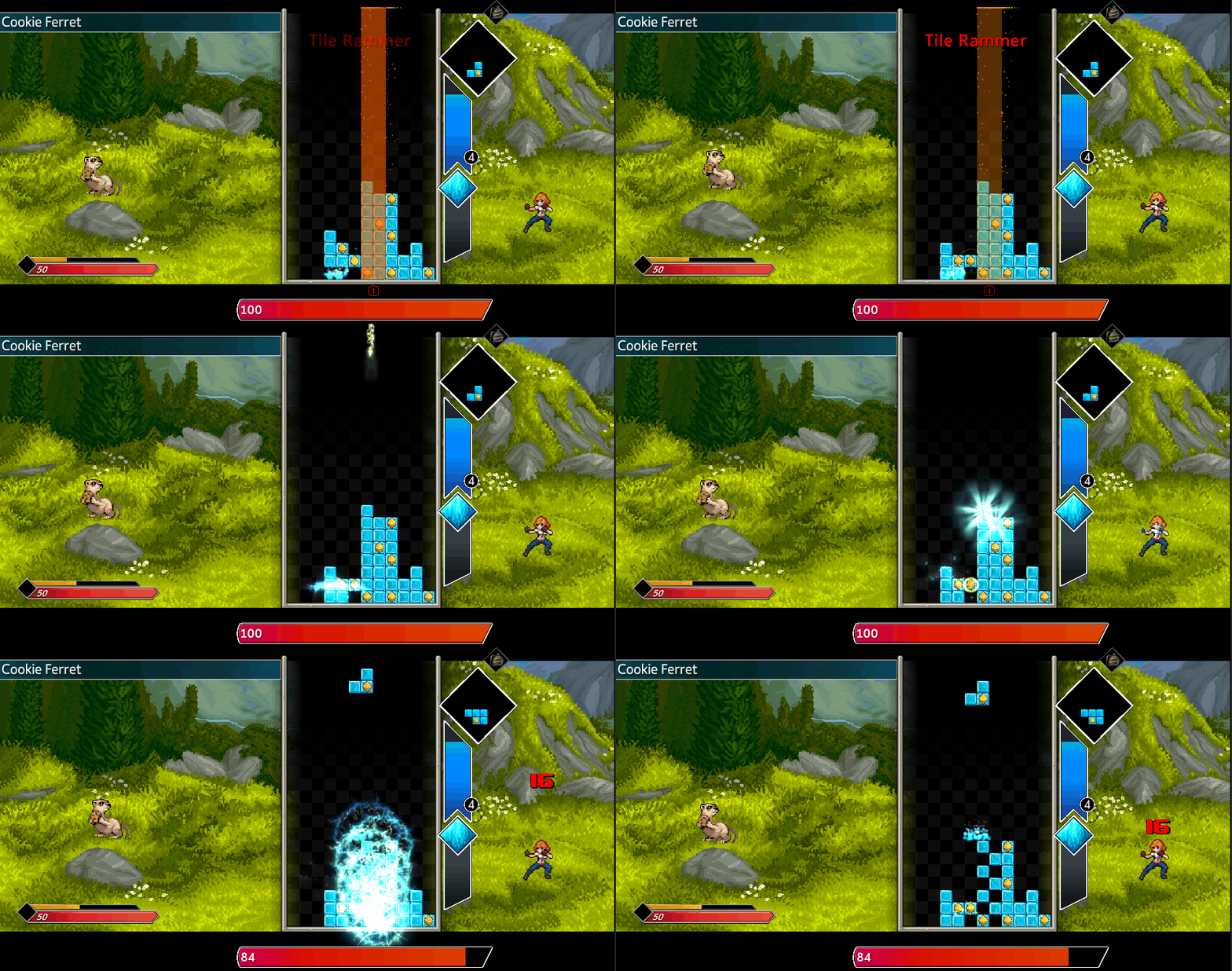
Monster powers are special attacks that enemies use during a battle, usually with a moderate cooldown. Tile removers are one type of monster power, that disrupts the player by removing tiles from the board and dealing damage based on the number of tiles removed. In this example a lightning bolt strikes down and removes tiles vertically in a zig-zag pattern.
Setting up monster powers is one of my main responsibilities on the project and the process for creating one can be broken up into three main steps.
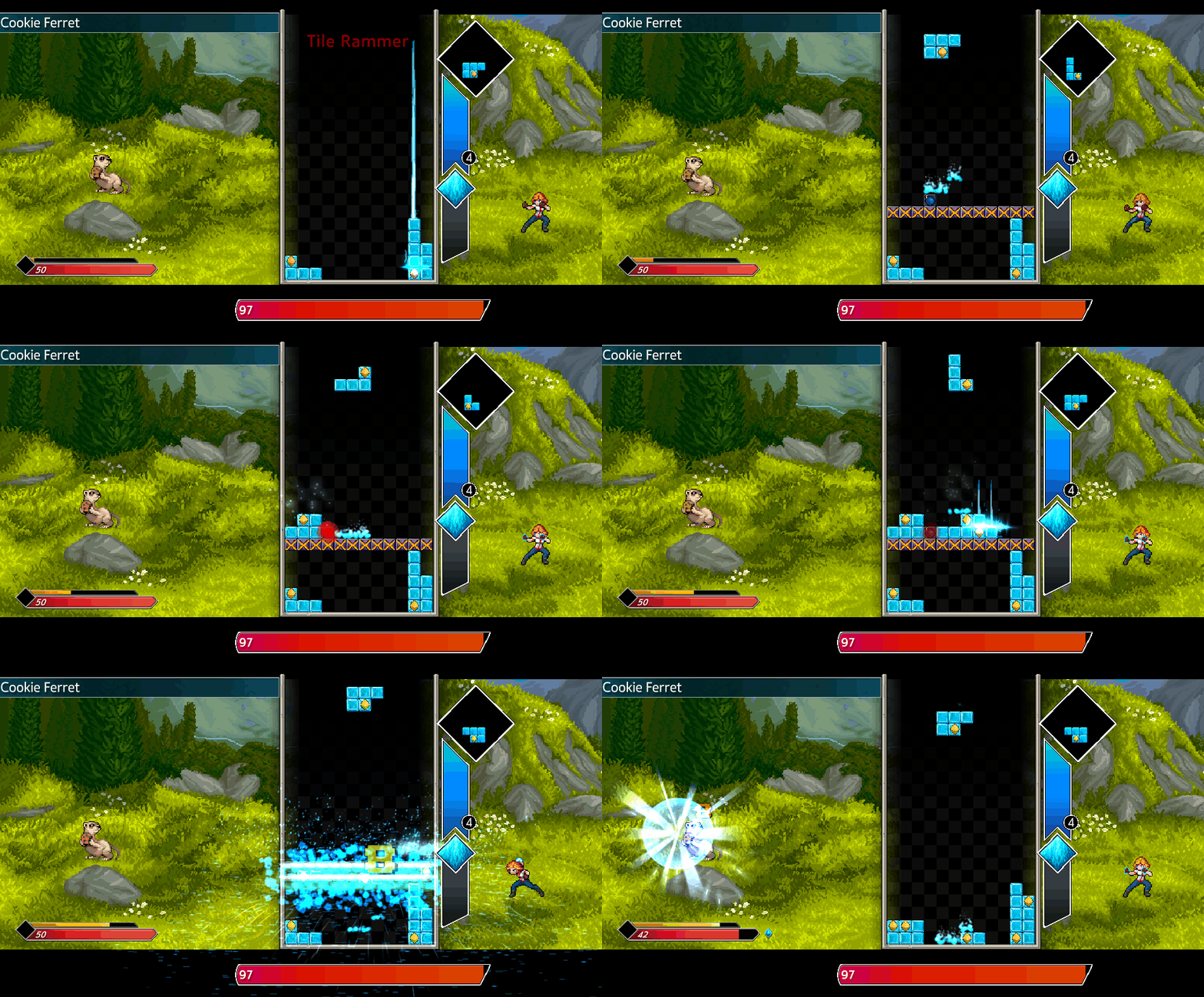
It all starts with our designer making a ticket in our task management system. This includes a sketch as well as a description of the ability. I'll ask any preliminary questions I may have and start thinking about how to go about implementing the ability. The image above is the mock-up for the Lock and Key power which blocks off a section of the board with lock tiles and then tosses a key tile on one side. Once the key tile is cleared, all of the lock tiles will go away.
The goal in this stage is to quickly get the monster power working so our artists can see it in motion and start making assets for it. Often times while prototyping I will come up with more questions, so I talk with our designer again and we decide how the ability should function. For example, when the Lock and Key power blocks off the board horizontally it is common to have left over tiles after clearing the key tile. I spoke with our designer and we decided that these tiles should fall down and fill in gaps after the ability has ended because that is not where we wanted the difficulty to come from with the power.
At this point the functionality of the monster power is there so I am mostly cleaning up my code and replacing placeholder assets with final art. This is also when I add VFX, SFX, and other polish elements like screenshake depending on the ability. Above you can see the final look of the Lock and Key monster power.
Early into my time working on Flowstone Saga, we switched to loading assets using Unity's Addressable Asset System and I was tasked with migrating a bunch of assets to be loaded using Addressables instead of Resources.Load(). After figuring out a good workflow I wrote up a document that walks you through the entire process from start-to-finish with visual examples. This ended up being a huge time-saver down the line because when new people were brought onto the content team, I could just point them towards this document if they had any questions about the process.
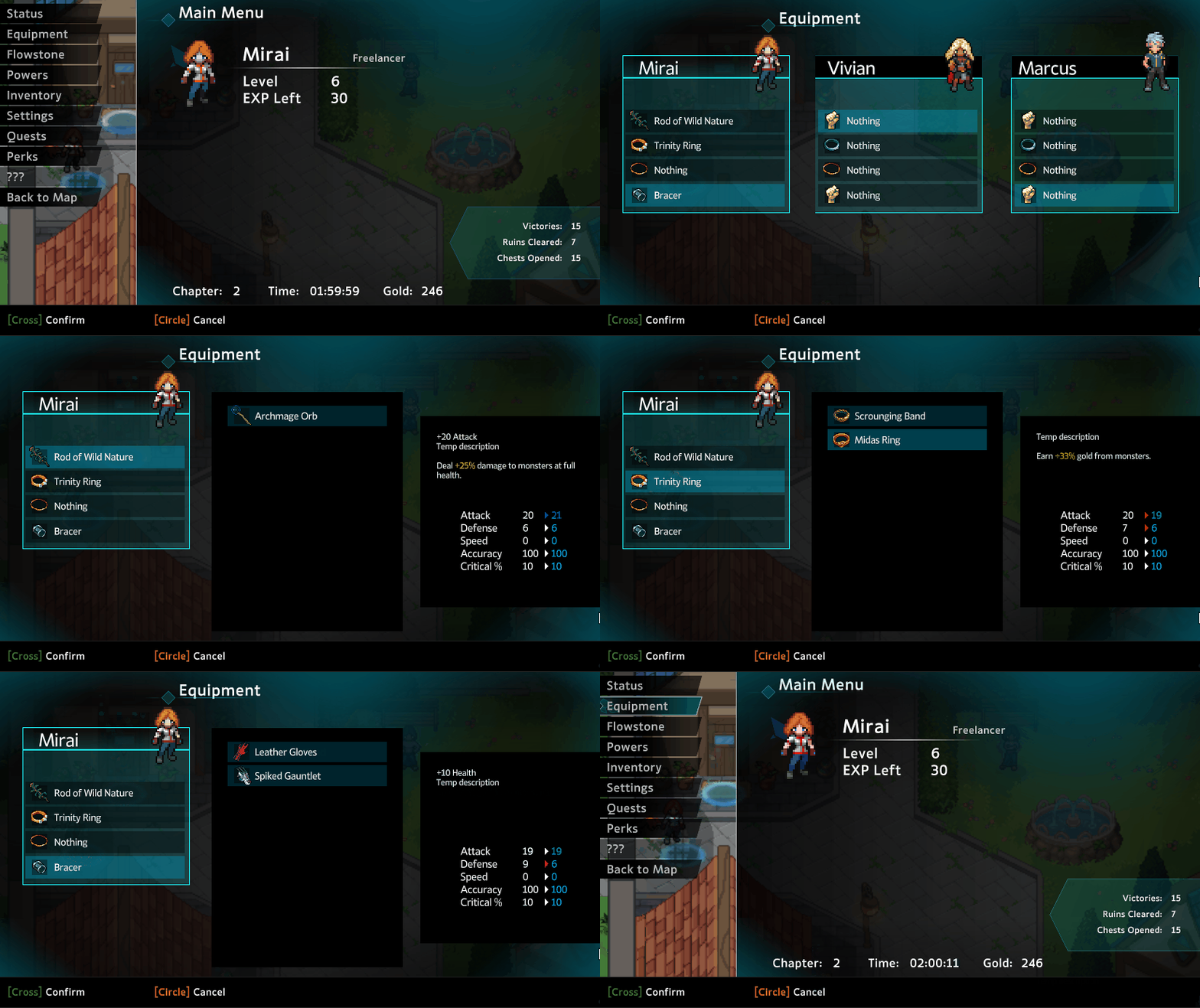
One of the UI menus that I worked on was the Equipment menu. It allows you to pick which items are equipped for the characters in your party before you go into a battle. It also shows a comparison of the stats of your currently equipped weapon against the weapon your are looking at.
If you'd like to learn more about the game, here is the Steam Page.

 ____________________________________________________________________________________
.png)
.gif)